top of page
Gen Back V4.png
Website Screen.png

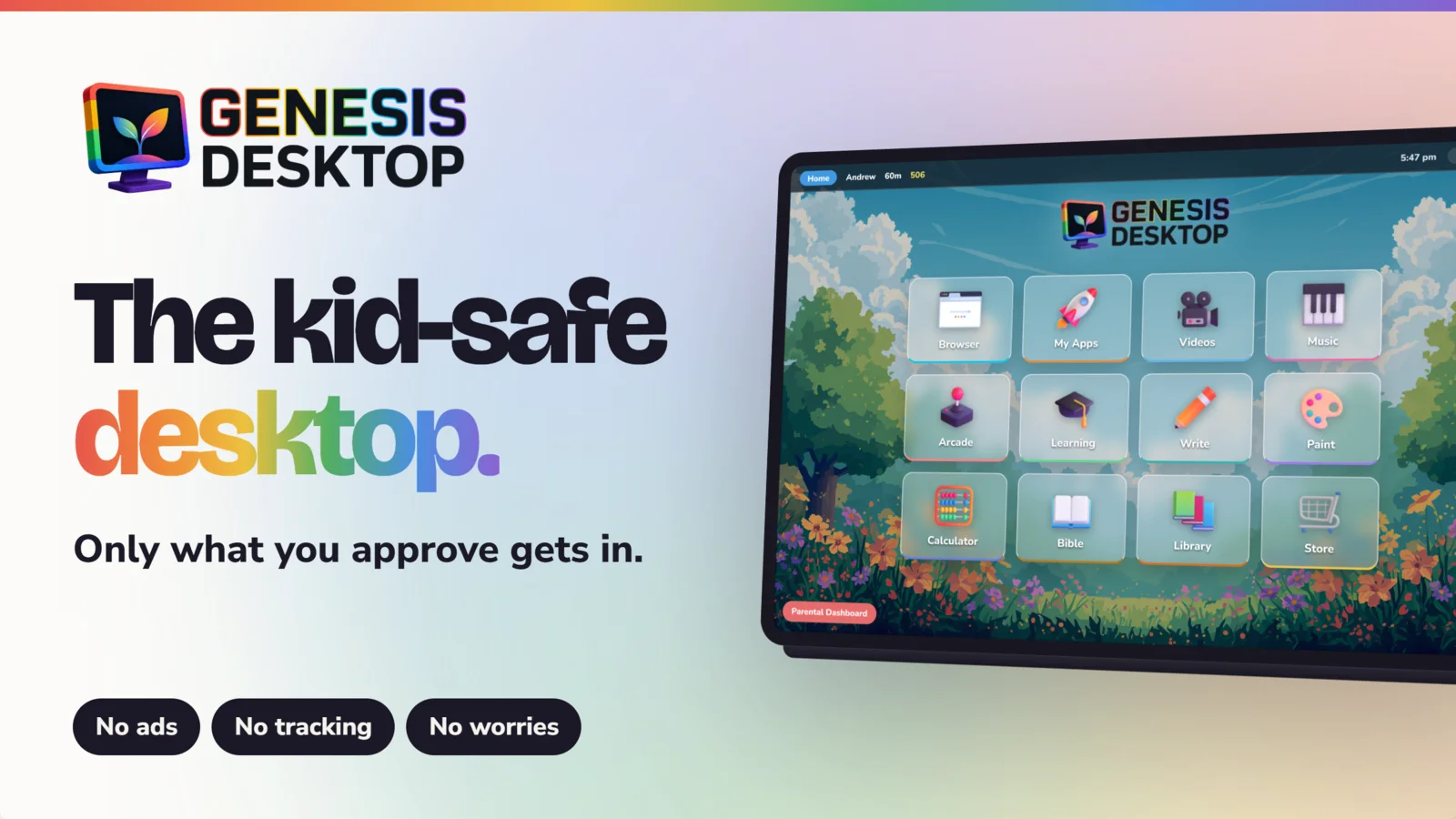
Genesis Desktop

A Wholesome Walled Garden for your Family's Computer.

Genesis Desktop locks out the dangers of the internet while inviting your child into a world of wholesome discovery."

What is Genesis Desktop?

The Wholesome Way to Explore.

01

True Peace of Mind for Parents

Genesis Desktop restores peace by providing a tech environment parents can finally trust. Genesis Desktop replaces constant digital policing with a space that nurtures curiosity while guarding innocence.

02

A Dedicated Desktop Overlay

Genesis Desktop is a complete overlay that transforms any PC into a dedicated workstation for kids. This intentional interface replaces traditional computer distractions with a streamlined space designed for young users.

03

A Full Suite of Native Applications

Genesis Desktop features a built-in suite of applications designed for productivity, creativity, and play. For specific goals, parents can easily integrate trusted third-party apps, maintaining a controlled yet flexible environment.

04

A Zero-Ad, Privacy-First Sanctuary

Our ad-free platform rejects the data-tracking and targeted marketing common today. By eliminating intrusive pop-ups, we ensure your child focuses on growth rather than being sold to the highest bidder.

The Genesis Suite

Stop

Filtering the Bad, Start Providing the

Good

Instead of constantly blocking what’s broken, give your child a built-in world of what is beautiful and productive.

Browser

Our Safe Browser provides a secure gateway that restricts navigation to parent-approved URLs, preventing children from clicking through to any unauthorized external links.

Screenshot (54).png

My Apps

My Apps allows you to integrate your favorite third-party software, providing the flexibility to expand the haven while maintaining total parental control.

Screenshot (56).png

Video

Our Video app lets you upload personal files directly from your computer. We also provide a curation studio where you can approve specific YouTube videos and playlists for safe viewing inside the Genesis Desktop environment.

Screenshot (60).png

Music

Our Music app features a library of pre-downloaded, wholesome playlists while allowing you to upload your own personal collection for a fully customized listening experience.

Screenshot (67).png

Arcade

Our Arcade features a curated collection of original, ad-free games built in-house to ensure every moment of play is wholesome, safe, and free from external influence.

Screenshot (69).png

Learning

Our Learning app features a dedicated suite of in-house built educational games designed to make mastering new skills both safe and engaging.

Screenshot (74).png

Write

Our Write app provides a distraction-free space for storytelling and schoolwork, featuring built-in audio to hear stories read back and the capability to print documents.

Screenshot (79).png

Paint

Our Paint app provides a vibrant, ad-free canvas for digital masterpieces, featuring a full suite of creative tools and the ability to save and print every creation.

Screenshot (82).png

Calculator

Our Calculator app offers a clean, distraction-free interface for solving math problems, ensuring students stay focused on their learning without any external interruptions.

Screenshot (85).png

Bible

Our Bible app allows you to explore the Scriptures by theme, keyword, or even mood, featuring built-in audio playback for an immersive and reflective listening experience.

Screenshot (86).png

Library

Our Library app offers a curated collection of beloved children’s classics alongside original, wholesome content built specifically for our community.

Screenshot (89).png

Store

Our Store encourages children to earn points through time spent in the learning apps, which they can then redeem for custom backgrounds, icon packs, or even exclusive music playlists.

Screenshot (93).png

You Are in Control

The Parental Dashboard puts you in complete control, allowing you to manage app access, curate content, and monitor your child's progress from a single, intuitive interface.

1.

Auto-Start

Easily toggle the auto-start setting, ensuring the secure environment launches automatically whenever the computer boots up.

2.

Pass Code

Set a secure passcode that guards the exit from the safe environment and protects all administrative settings.

Screen Time

Precise management through individual profile screen time limits alongside a global bedtime  schedule to ensure healthy digital boundaries for the whole family.

3.

Analytics

Detailed analytics on screen time usage for each individual profile, giving you a clear view of how much time is being spent.

4.

Download Genesis Desktop

The All-in-One

Digital Experience

For Kids 

Annual

$49.99

/yr

Flexible. Cancel Anytime.

All Features Included

Unlimited Profiles

Free Updates

One-Time

$149.99

/once

Flexible. Cancel Anytime.

All Features Included

Unlimited Profiles

Free Updates

Genesis Desktop - Windows Edition

$49.99

49.99

Every year

A yearly subscription to the windows edition of Genesis Desktop

All Features included

Unlimited Profiles

Free Updates

Genesis Desktop - Windows Edition

$149.99

149.99

A perpetual subscription to the windows edition of Genesis Desktop

All Features included

Unlimited Profiles

Free Updates

Choose your pricing plan

Find one that works for you

genesisdesktop.ca
Tel: 1 (403) 607 9616
202, 1277 3 Ave S,
Lethbridge AB T1J 0K2

Applications

KEY FEATURE

The Walled Garden

Genesis Desktop locks your child into a secure environment, requiring a parental PIN to exit or access external files.

KEY FEATURE

Screen Time Schedule

Set daily limits and a Bedtime locks with visual warnings, allowing your child to finish their activities peacefully before the screen locks.

KEY FEATURE

Whitelist Browser

Tame the internet by approving specific websites via the Parent Dashboard. If a child clicks an external link, Genesis automatically blocks access.

KEY FEATURE

Your Media

Genesis Desktop links to your computer’s local folders, letting you add videos, music, and apps to ensure your child only interacts with content you've hand-picked.

Check out the apps Genesis Desktop has to offer

CORE APPLICATIONS

Browser

A strict, whitelist-only web browser. Your child can only visit the exact domains you approve in the Parent Dashboard, with all external links blocked.

CORE APPLICATIONS

browser.png

Browser

CORE APPLICATIONS

My Apps

A secure launcher that lets you create safe shortcuts to approved PC or Mac games (like Minecraft) that are already installed on your physical computer.

CORE APPLICATIONS

my apps.png

My Apps

CORE APPLICATIONS

Videos

A secure streaming hub where you hand-pick the content. Easily link local home movies or your favorite YouTube videos and playlists directly into the App.

CORE APPLICATIONS

videos.png

Videos

CORE APPLICATIONS

Music

A colorful, kid-friendly audio player. Listen to our wholesome pre-loaded tunes, or securely link a folder of your own approved MP3s for them to enjoy.

CORE APPLICATIONS

music.png

Music

COMPANION APPLICATIONS

Arcade

A curated collection of offline, ad-free games designed purely for wholesome, frustration-free fun without addictive mechanics 

COMPANION APPLICATIONS

arcade.png

Arcade

COMPANION APPLICATIONS

Learning

An engaging educational hub filled with logic and math games that turn mastering new skills into rewarding play. 

COMPANION APPLICATIONS

learning.png

Learning

COMPANION APPLICATIONS

Write

A distraction-free word processor where kids can type out their stories, practice spelling, and decorate their pages .

COMPANION APPLICATIONS

write.png

Write

COMPANION APPLICATIONS

Paint

A creative digital canvas fully equipped with paints, brushes, and shapes for children to design their own digital masterpieces.

COMPANION APPLICATIONS

paint.png

Paint

COMPANION APPLICATIONS

Calculator

A bright, easy-to-use digital calculator designed to help children confidently tackle their math homework.

COMPANION APPLICATIONS

calculator.png

Calculator

COMPANION APPLICATIONS

Bible

An interactive scripture app with built-in audio narration so your child can safely explore, listen, and follow along.

COMPANION APPLICATIONS

bible.png

Bible

COMPANION APPLICATIONS

Library

A beautiful, distraction-free digital book reader featuring a built-in narrator and a library of wholesome, classic stories.

COMPANION APPLICATIONS

library.png

Library

COMPANION APPLICATIONS

Store

A rewarding, goal-setting hub where kids can spend points they’ve earned from the educational  apps to unlock new desktop wallpapers and icon packs.

COMPANION APPLICATIONS

store.png

Store

Stay Up to Date

info@mysite.com
Tel: 123-456-7890
500 Terry Francine Street,
San Francisco, CA 94158

  • X
  • Facebook
  • LinkedIn

Our Offerings

Learn More

User-Friendly

The user-friendly interface makes it easy for kids to explore and learn without frustration.

Secure Interface

A secure and offline environment protects children from inappropriate content online.

Creative Tools

Empowers kids with real creative tools that foster learning and imagination.

Get in Touch

Have questions about Genesis Desktop? Our team is here to help you with any inquiries you may have.

Support

Chat

Contact us

bottom of page